> ## Documentation Index
> Fetch the complete documentation index at: https://docs.autype.com/llms.txt
> Use this file to discover all available pages before exploring further.
# Quickstart
> Create your first Autype document in under 5 minutes — from sign-up to PDF export.
Get from zero to your first exported PDF in under 5 minutes.
## 1. Create your account
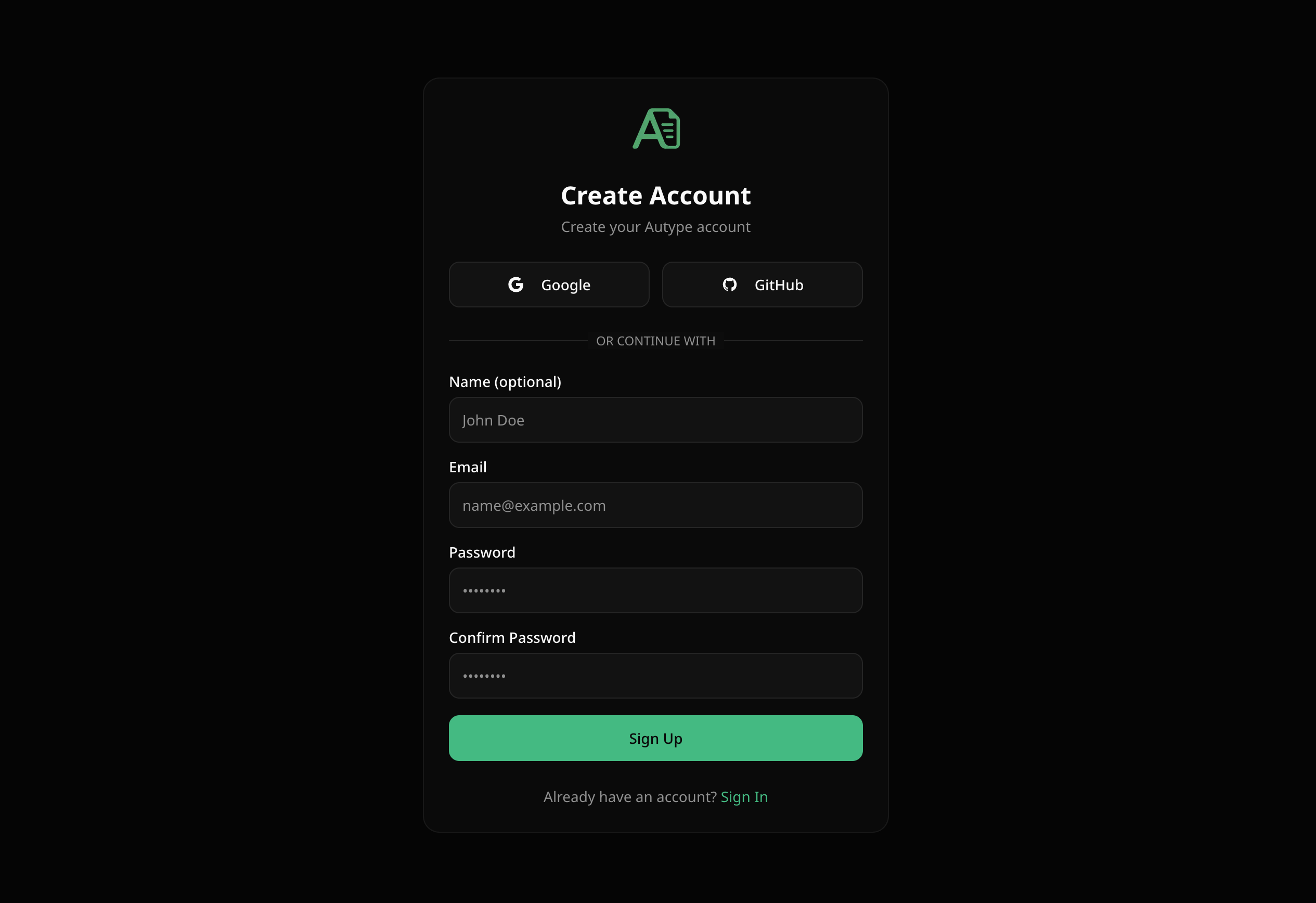
Go to [app.autype.com](https://app.autype.com) and sign up with your email or use Google / GitHub OAuth.
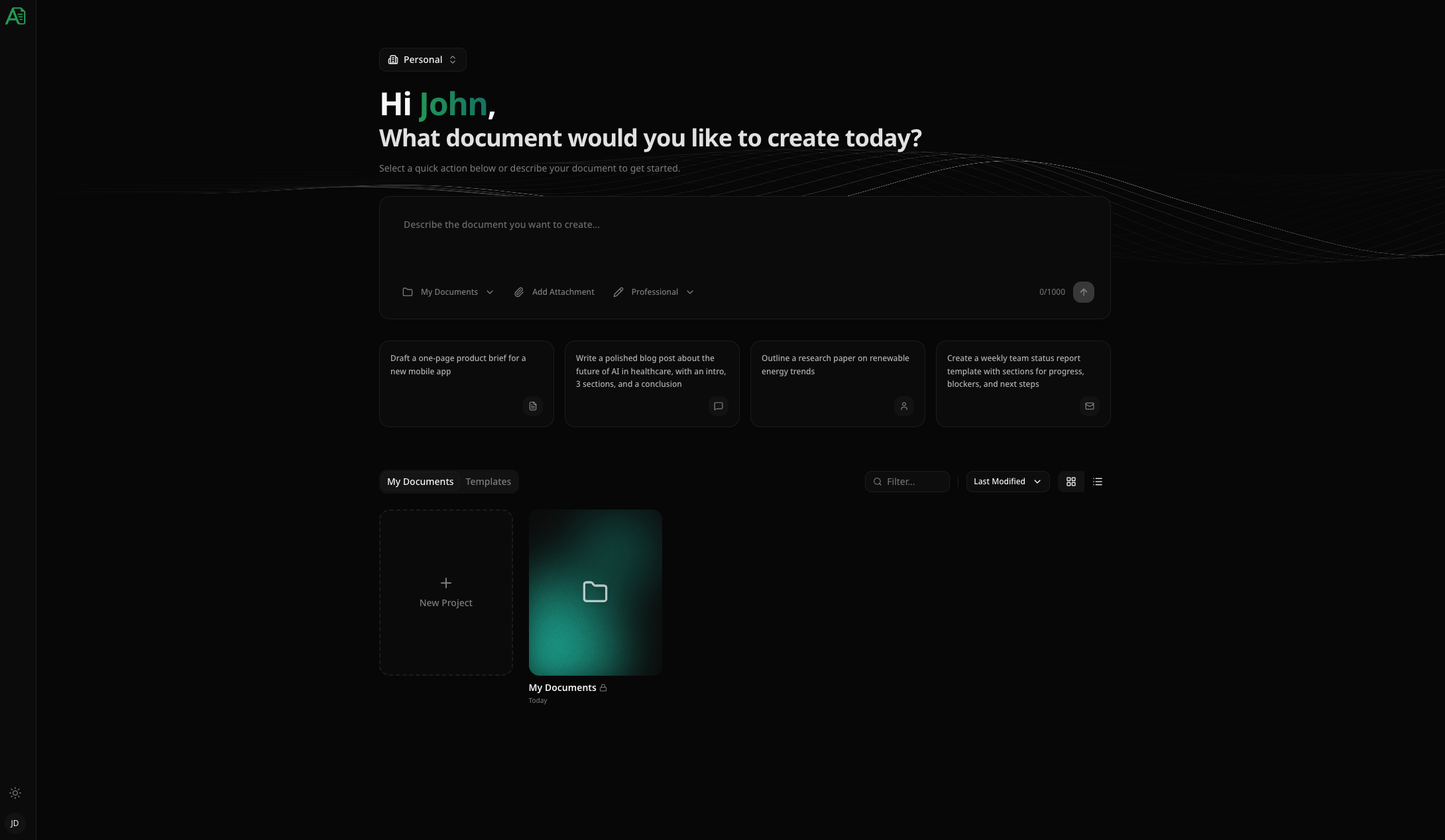
After verifying your email, you'll land in your **Workspace**.
 ## 2. Create a project
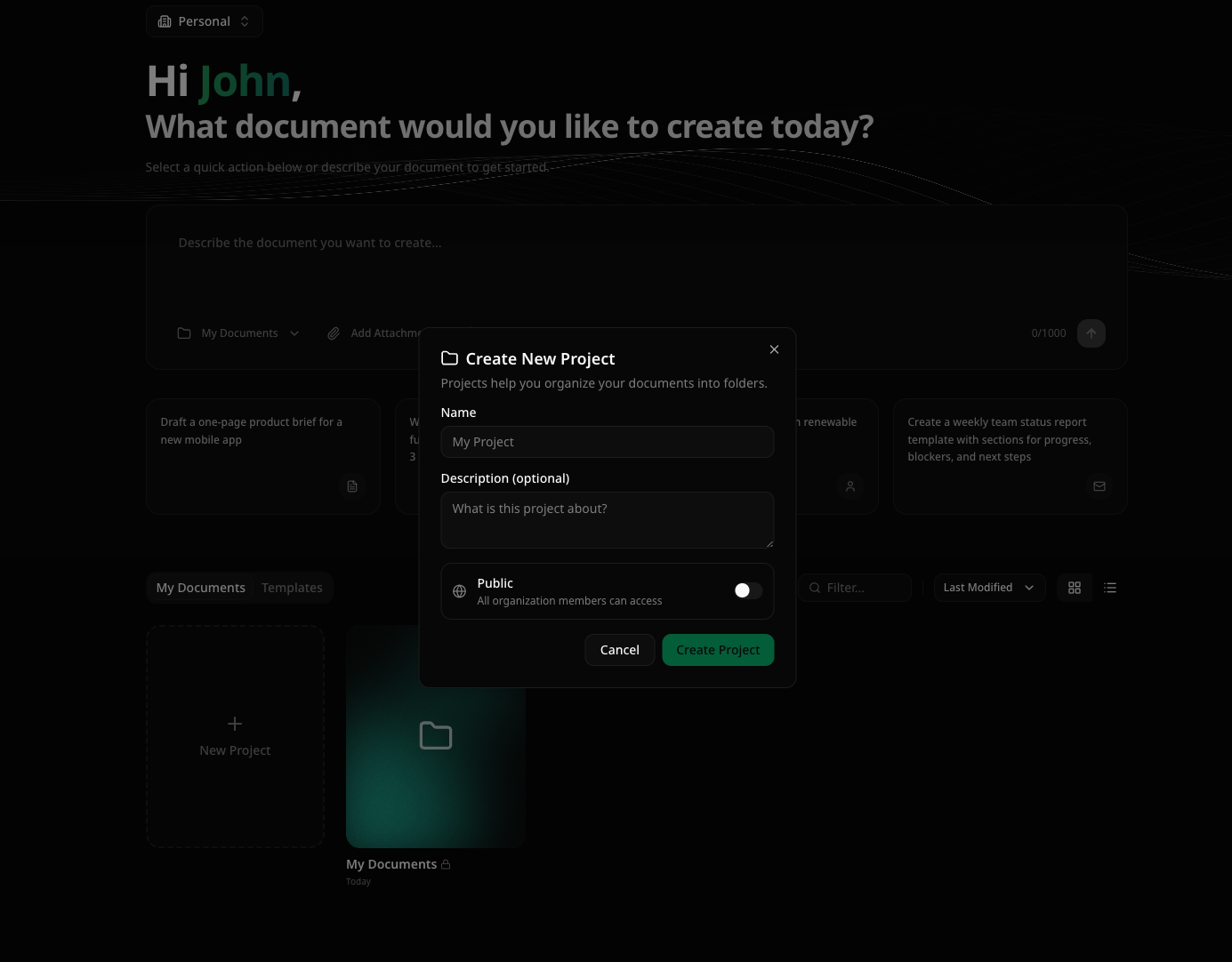
Click **New Project** in your workspace. Give it a name — for example, "My First Document".
Projects are folders that contain your documents, variables, and version history.
## 2. Create a project
Click **New Project** in your workspace. Give it a name — for example, "My First Document".
Projects are folders that contain your documents, variables, and version history.
 ## 3. Create a document
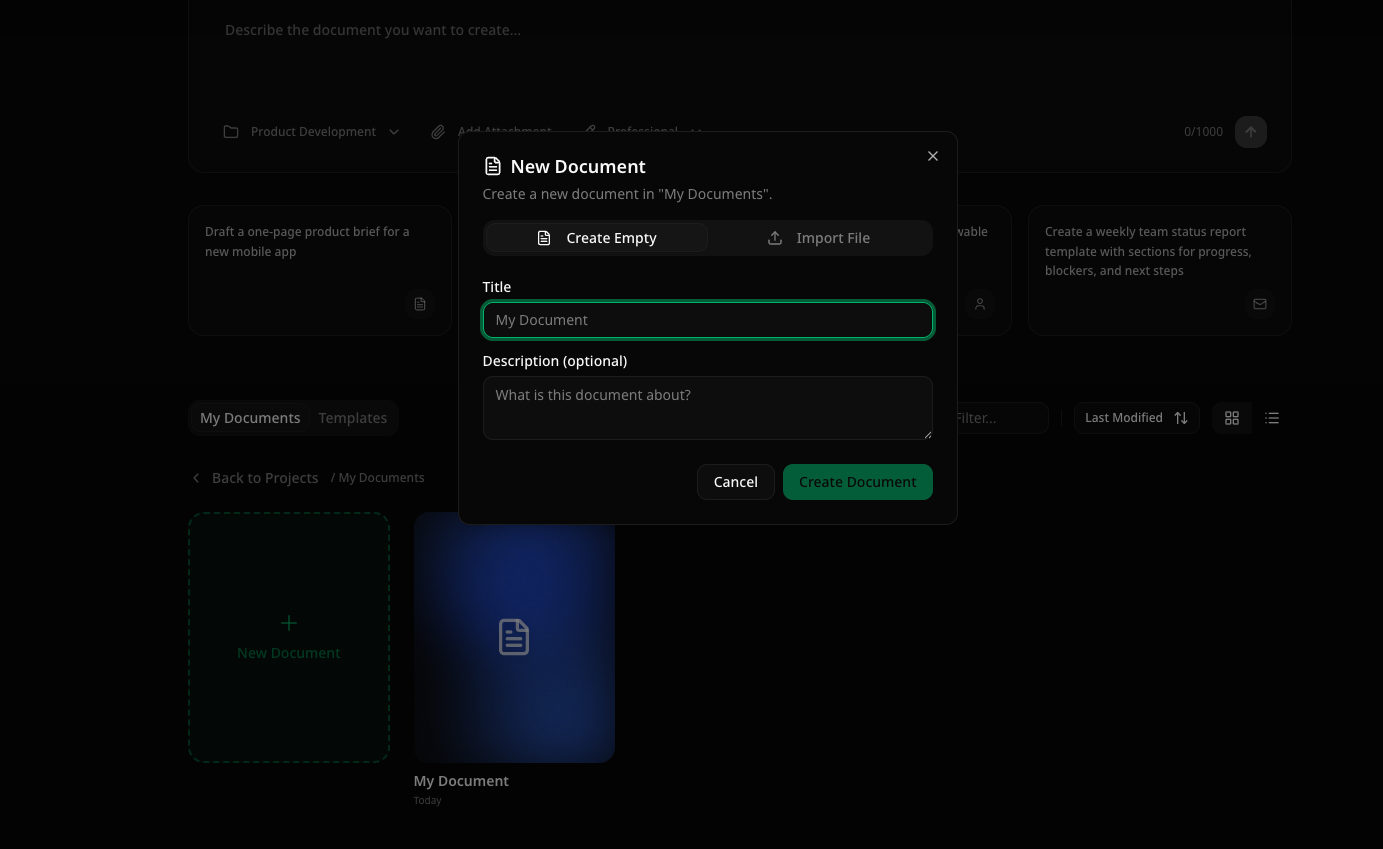
Inside your project, click **New Document**. You'll be taken directly into the editor.
## 3. Create a document
Inside your project, click **New Document**. You'll be taken directly into the editor.
 ## 4. Write your content
Start typing using Markdown syntax — or use the visual editor toolbar if you prefer clicking.
Here's a simple example to get you started:
```markdown theme={null}
# My First Report
## Introduction
This is my first document in Autype. It supports **bold**, *italic*, and much more.
## Key Findings
- Finding one with important details
- Finding two with supporting data
- Finding three with conclusions
| Metric | Value | Change |
|--------|-------|--------|
| Revenue | €150,000 | +12% |
| Customers | 1,200 | +8% |
| Satisfaction | 94% | +3% |
## Conclusion
Autype makes document creation simple and consistent.
```
You'll see your content rendered in real-time as you type.
## 4. Write your content
Start typing using Markdown syntax — or use the visual editor toolbar if you prefer clicking.
Here's a simple example to get you started:
```markdown theme={null}
# My First Report
## Introduction
This is my first document in Autype. It supports **bold**, *italic*, and much more.
## Key Findings
- Finding one with important details
- Finding two with supporting data
- Finding three with conclusions
| Metric | Value | Change |
|--------|-------|--------|
| Revenue | €150,000 | +12% |
| Customers | 1,200 | +8% |
| Satisfaction | 94% | +3% |
## Conclusion
Autype makes document creation simple and consistent.
```
You'll see your content rendered in real-time as you type.
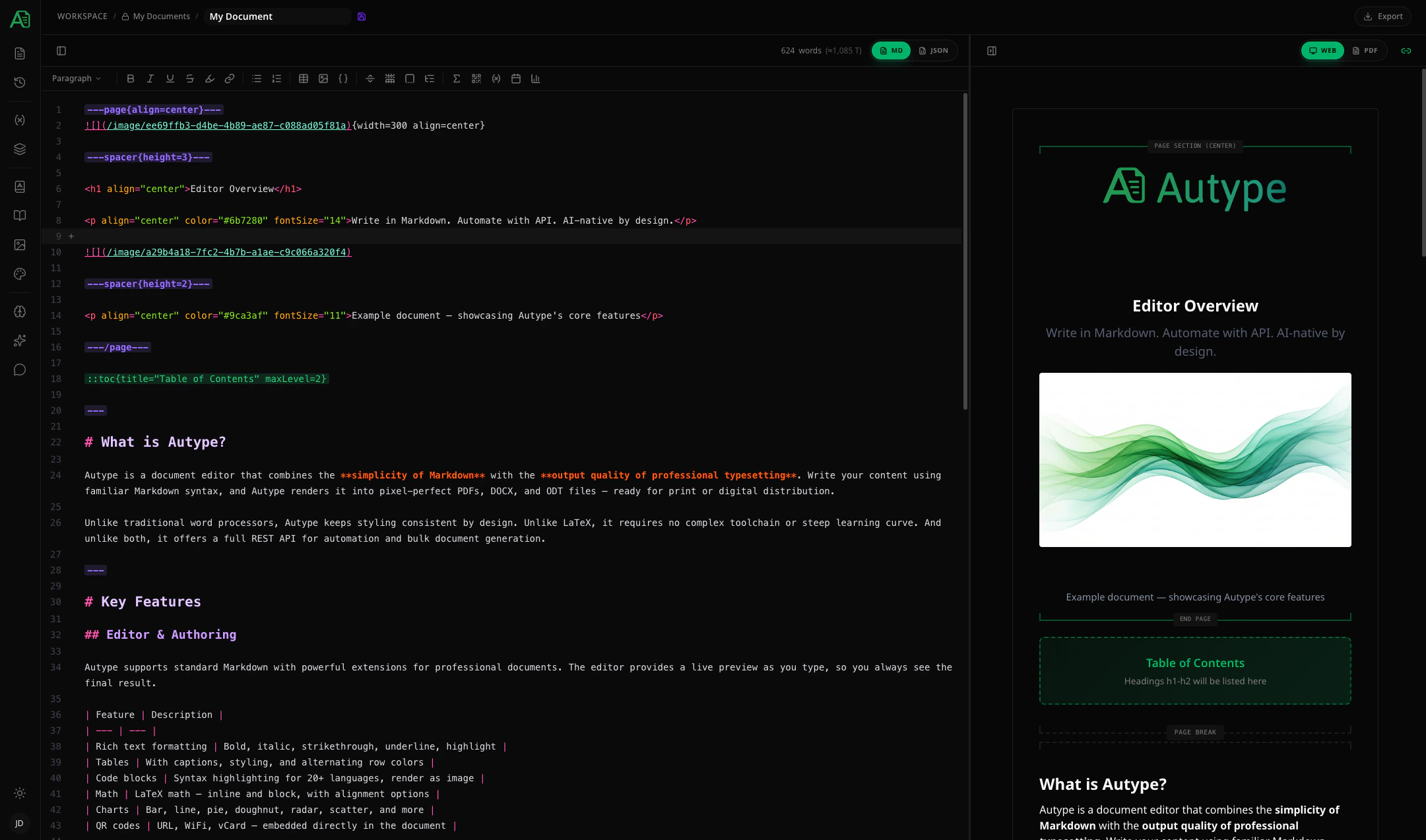 ## 5. Export as PDF
Click the **Export** button in the top toolbar and select **PDF**. Your document will be rendered and downloaded in seconds.
## 5. Export as PDF
Click the **Export** button in the top toolbar and select **PDF**. Your document will be rendered and downloaded in seconds.
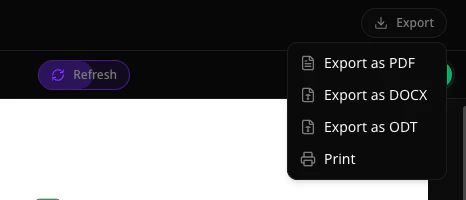 You can also export as DOCX or ODT. The export format can be changed anytime — your content stays the same.
## What's next?
Citations, charts, variables, automatic indices, and more.
Full syntax reference for Autype's extended Markdown.
Invite collaborators, assign roles, and work together in real-time.
Generate documents programmatically and integrate with your workflows.
You can also export as DOCX or ODT. The export format can be changed anytime — your content stays the same.
## What's next?
Citations, charts, variables, automatic indices, and more.
Full syntax reference for Autype's extended Markdown.
Invite collaborators, assign roles, and work together in real-time.
Generate documents programmatically and integrate with your workflows.